- Home
- Institutions
Trusted documents and credentials for your students
For universities, schools, academies, training centers and certification organizations. Manage your students, issue diplomas, certificates, student e-cards and documents in your own design — each with an IVQA QR code that employers and admissions offices verify in one scan.
Students first — then everything you issue to them
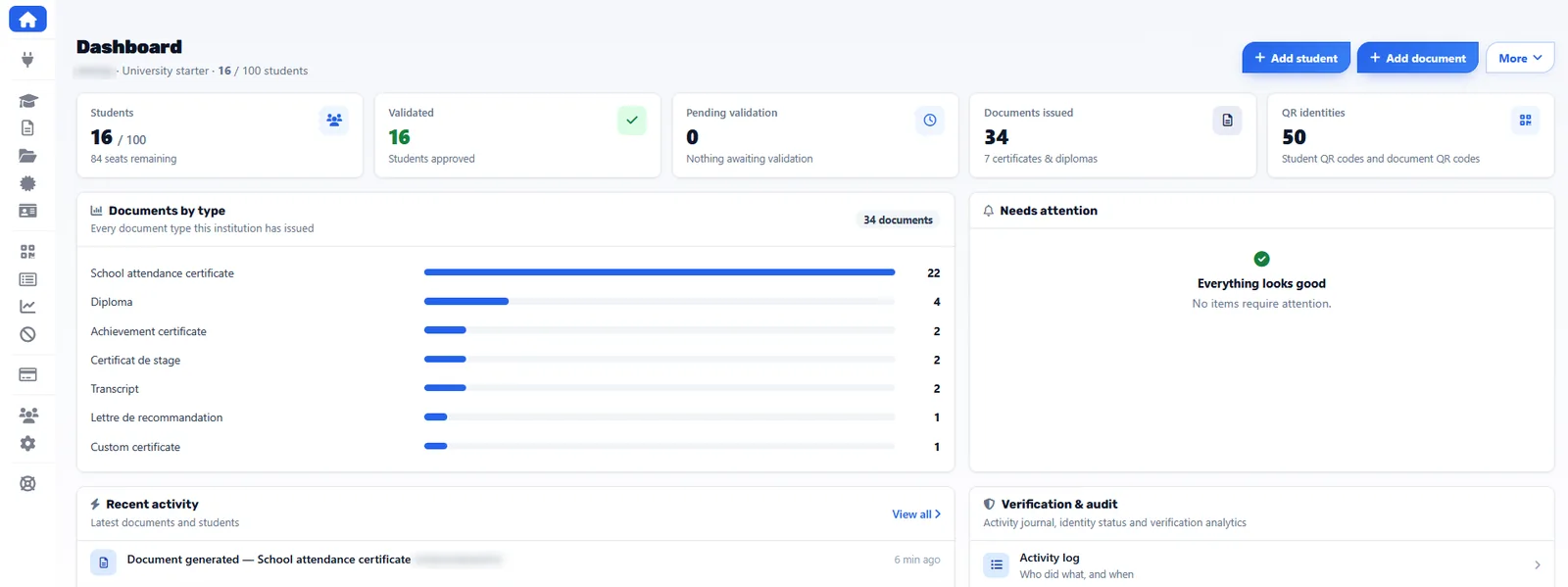
Students are the recipients inside your institution. Every module of the workspace starts from their records.
Every student document, kept with the student
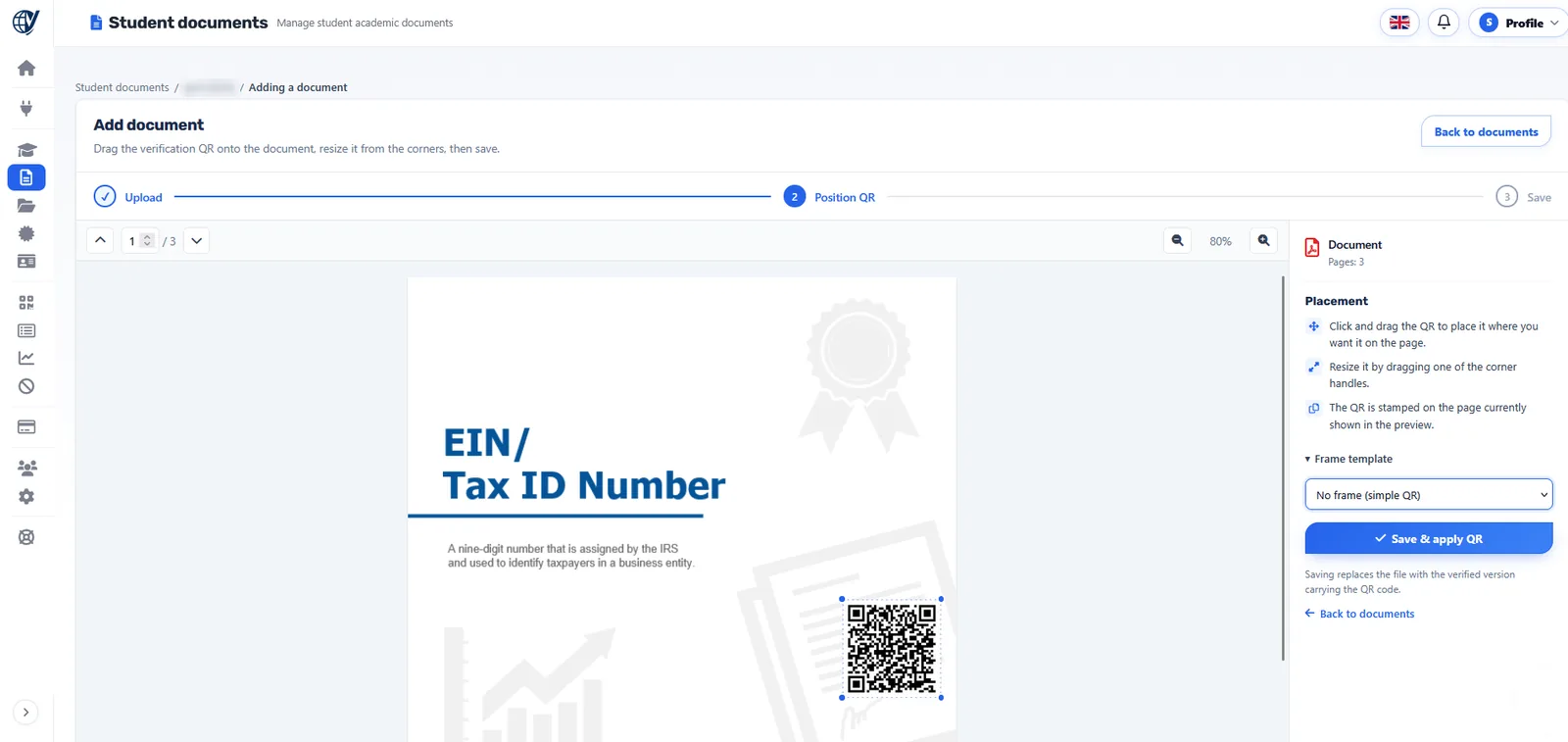
Attendance certificates, transcripts, internship and achievement certificates, recommendation letters, custom certificates: generate them from a template or upload the PDF you already produce, place the IVQA QR and apply it. Each document carries its own status and verification page.
- Generated from templates or uploaded as your own PDF
- One QR code and reference per document
- Valid, revoked or expired — the public page always shows the current status
Official documents in your institution's name
Documents your institution issues as an organization — not tied to one student — secured the same way: your letterhead and seal, the IVQA QR code, and a public page that names your institution as issuer.
Diplomas, certificates and student e-cards
Three credentials, three distinct designs — one way to verify them.
Diplomas
Degree and graduation documents in the design you already use, with the IVQA QR placed on the document.
Learn moreCertificates
Course, training and completion certificates — one by one or for a whole cohort.
Learn moreStudent e-cards
Designed in IVQA with your logo and the student photo, exported as PDF, with a verification QR.
Learn moreSee how your credentials are checked — and who did what
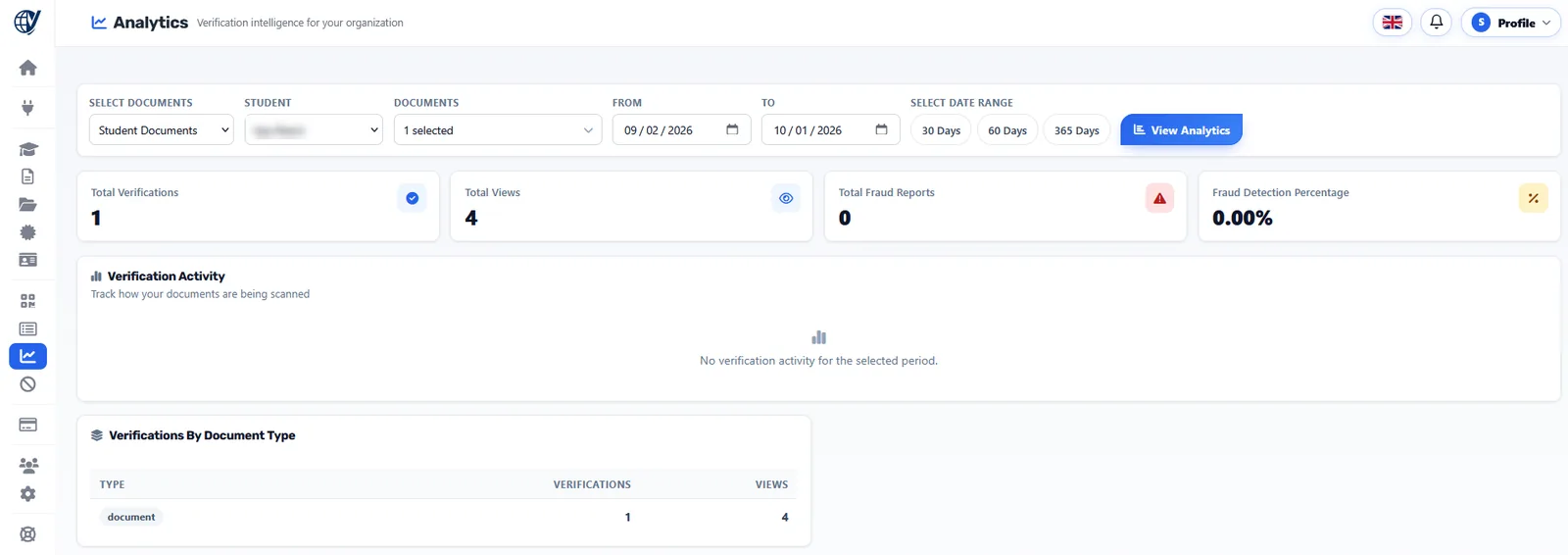
The Analytics page counts verifications, views and fraud reports by document, by student and by period. The activity log records every action of your team — documents generated, students validated, credentials revoked — with its author and time.
You decide what every scan shows
Validate, suspend or revoke a student record or a credential — one or many at once. A revoked diploma shows as revoked from the next scan; a document past its end date shows as expired. Only your authorized users can change a status.
Pricing
Education plans from €499 per year
Billed per academic year, from 100 to unlimited students — with lifetime verification on every plan.
Does IVQA issue our diplomas?
No. Your institution remains the official issuer. IVQA provides an independent verification layer and a secure public verification page.
Do employers need an account or an app?
No. They scan the QR code with a phone camera or open the public verification page — no login is needed.
Can we keep our existing document design?
Yes. You upload the document you already produce and place the IVQA QR on it. Student documents can also be generated from templates, and QR codes can be generated for a whole class at once.
How do we get started?
Send a short request with your institution details. Our team reviews it and follows up within 24–72 hours.
Ready to make your diplomas and documents verifiable?
Request your institution account, or talk to us about your institution first.